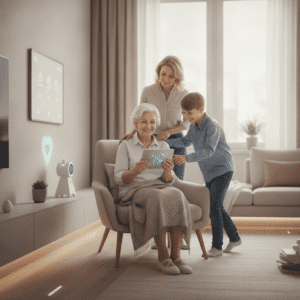
Aging in Place How Emergency Call Buttons Can Help

Wanting to stay in your own home while getting older is common. Making this happen means thinking beyond just handrails and bright lights. Emergency call buttons offer a smart way to boost safety every day and keep independence alive. These devices connect you instantly to help when needed and fit right into a bigger plan to age comfortably and confidently at home. Discovering how these gadgets work and how to use them can change the game, making life safer and worry-free. Keep reading to find out why this simple tool might be the secret to peace of mind as years go by.
We will cover real world examples, what to look for when choosing a device, setup and upkeep tips, and ways to blend call buttons with other home safety measures. Whether you are researching options for yourself or helping a loved one, the ideas below will help you make choices that match lifestyle, budget, and home layout.
Aging in Place How Emergency Call Buttons Can Help
Emergency call buttons are small devices that let a person request help quickly when they have a fall, medical issue, or feel unsafe. They can be worn as pendants, wristbands, or mounted on walls. Pressing a button will send an alert to a monitoring center, a caregiver, or a chosen contact. Some systems also support two way voice so the user can speak with a responder through a base station.
These tools work best when they are part of a simple plan. For example a single button with a monthly monitoring service may connect to trained operators who can summon emergency services. A local connection to family members may be faster and less costly in some situations. Many families find that adding a button reduces hesitation to call for help which can change the outcome of a health event.
Types of Emergency Call Buttons and How They Differ
- Wearable pendants that connect to a base unit or a mobile network
- Wristbands designed for comfort and everyday wear
- Wall mounted buttons placed in hallways, bathrooms, and near beds
- Mobile devices with GPS for active seniors who leave home often
- Integrated units with fall detection sensors that trigger alerts automatically
Choosing the right form factor depends on daily routines. Someone who spends most time at home may prefer a wall button near the bathroom while a person who walks outdoors will benefit from a mobile device with GPS. Make a short list of where the person spends time and match device placement to those areas.
Key Features to Look For in Emergency Call Buttons
Not all devices are created equal. When comparing options, focus on these practical attributes. Think about real situations rather than marketing claims. Check range and connectivity, battery life, the presence of two way communication, and how alerts are routed.
Connectivity and Signal Range
Look for systems that clearly state their indoor coverage. Wireless buttons that pair with a base station use radio signals that can be blocked by thick walls. Mobile units that use cellular service depend on local network coverage. Test a demo unit in the home layout you plan to use to confirm it reaches the intended receiver.
Fall Detection Versus Manual Call
Some devices include motion sensors that can detect a sudden fall. These sensors can send automatic alerts when the wearer is unable to press a button. Fall detection adds a layer of protection but it can also produce false alarms from rapid movements. Ask providers about sensitivity settings so false alerts can be reduced while keeping automatic coverage.
How Emergency Call Buttons Reduce Risk and Speed Response
Time matters after a fall or medical incident. Studies show outcomes improve when help arrives sooner. A wearable button eliminates the need to reach a phone, which is often out of reach after a fall. With one press someone can get on-scene help or at least talk to trained personnel who can triage the situation.
Consider a common scenario. An older adult slips in the bathroom and cannot stand. Without a call device the person may wait hours before being found. With a pendant the person can call a monitoring center immediately and either get emergency services dispatched or have a neighbor contacted. That difference reduces time spent on the floor and lowers the risk of complications.
Choosing the Right Setup for Different Home Layouts
Homes vary in size and complexity. A small bungalow has different needs than a multi level house. For single level dwellings a single base station with a few pendants might be enough. For multi level homes consider multiple wall buttons and devices that have extended range. For residents who leave home often a mobile unit with GPS is preferable because it provides coverage beyond the house.
If the house has areas with poor signal treat them like high risk zones. Bathrooms and basements are common trouble spots. Place an additional wall button near the toilet and in the shower area if possible. For stairs, put a button at the top and bottom to reduce the chance of being isolated after a fall.
Installation, Maintenance, and Cost Considerations
Installation can be DIY for many devices. Base units usually plug into power and pair with pendants. Mobile units arrive charged and ready to use. Make a checklist for basic setup and testing. Verify battery levels monthly, run a test call to confirm connections, and replace worn bands or cords on pendants.
Costs vary. There are one time purchase models with no monthly fee that call preset contacts. There are also subscription monitoring services that will keep trained responders on call. Consider the tradeoffs. A low cost system that calls family members may be fine for close knit networks while a paid monitoring plan may be better for people who live alone or have complex medical histories.
- Ask about trial periods and refund policies before committing
- Request a demonstration to test voice quality and response times
- Check whether medical alerts are covered or discounted by local programs or insurers
Integrating Emergency Call Buttons with Other Home Safety Measures
Emergency buttons work best when used with other practical safety steps. Improve lighting along walking paths with motion sensor lights. Add non slip mats in showers and place chairs where a person might need to rest. A medication schedule and a simple calendar can reduce emergency triggers related to missed doses.
Consider a zone based plan. Designate high risk zones and place devices accordingly. Teach household members how to respond to an alert so that a neighbor or family member can act immediately when notified. Routine drills can reduce uncertainty during a real event.
Common Concerns and Practical Tips for Families
People often worry that wearing a pendant will feel stigmatizing or that they will forget to charge or wear it. Pick a style the person is comfortable with. Many modern pendants look like ordinary jewelry and are lightweight. Create small habits like putting the pendant on with morning clothing or setting a daily reminder to check battery status.
False alarms can frustrate family members. To handle this try a two step rule where the monitoring center calls the user before escalating to emergency services when possible. Teach responders to ask a few quick questions so they can verify the situation and reduce unnecessary dispatches. Keep a list of medical conditions and medications handy to share when an alert occurs.
Privacy is another frequent concern. Many people want clarity about who receives alerts and what data is stored. Ask the prospective provider how alerts are routed and how long records are kept. If you prefer limited sharing choose a plan that calls only chosen contacts rather than a monitoring center.
For detailed product reviews and further reading about staying safe at home visit a reliable resource on aging in place that covers device comparisons and setup guides. That resource can help you match device features to personal routines and home layouts.
Choosing and maintaining an emergency call button comes down to matching device type to lifestyle. Think through daily routines, test devices in the actual home, and make a clear plan for responses. Discuss options with medical professionals when there are chronic conditions that raise risk.
Conclusion
The value of emergency call buttons lies in simple, practical outcomes. They shorten time to help, reduce anxiety for people living alone, and provide family members with a clear way to respond quickly. When evaluating devices focus on connectivity, ease of use, battery life, and the way alerts are routed. Test promising options in the intended environment and include family or caregivers in the selection and setup process.
Make a small plan that covers where devices will be worn or mounted, how often they will be checked, and who will be contacted in case of an alert. Combine buttons with sensible home modifications and routines that reduce risk. Start with one trial device for a month and measure how it changes daily life. If the device increases confidence and reduces worry it will likely be a worthwhile addition to the home. Take the next step today and choose a setup that fits the person who will use it. A short test period will reveal what adjustments are needed and give everyone involved greater certainty about staying safe at home.